
Buying a second-hand device or forgetting your credentials after a factory reset often leaves your Huawei phone stuck on Google verification. This Factory Reset Protection (FRP) is a strict security measure designed to prevent unauthorized access, but being locked out of your own device is incredibly frustrating.
Fortunately, there are reliable ways to regain access to your system. We will explore official account recovery paths, PC-free emergency dialer workarounds, and dedicated software tools to help you bypass the lock and set up your phone.
Quick Answer: How to Bypass Huawei FRP
If you need a Huawei FRP bypass, you have three main paths depending on your EMUI version and access to a computer:
- Account Recovery: The safest and most official route is resetting your Google account password on another device.
- PC-Free Workarounds: Older EMUI versions allow bypassing the lock using the emergency dialer or Safe Mode exploits.
- Dedicated PC Software: For newer updates where manual exploits are patched, using an Android unlock tool on your computer is often the most effective solution.
Evaluating Huawei FRP Bypass Options by Scenario
| Bypass Method | PC Required | EMUI Compatibility | Estimated Time | Cost |
| Google Account Recovery | No | All Versions | Up to 24 hours | Free |
| Emergency Dialer Workaround | No | Older Versions Only | Varies | Free |
| Tenorshare 4uKey for Android | Yes | Newer and Patched Versions | ~5 Minutes | Paid |
Method 1: Recover Your Google Account Credentials
The most straightforward way to learn how to remove FRP lock on Huawei phone models is by recovering the original Google account synced to the device. This official method requires no third-party tools and keeps your device warranty intact.
- Go to the Google account recovery page on a separate computer or smartphone.
- Enter the email address associated with your locked Huawei device and click Next.
- Select Try another way if you do not remember the password, and follow the prompts to verify your identity via a backup email or phone number.
- Once the password is reset, wait up to 24 hours for the new credentials to sync across Google servers.
- Enter the updated email and password on your Huawei device to clear the verification screen.
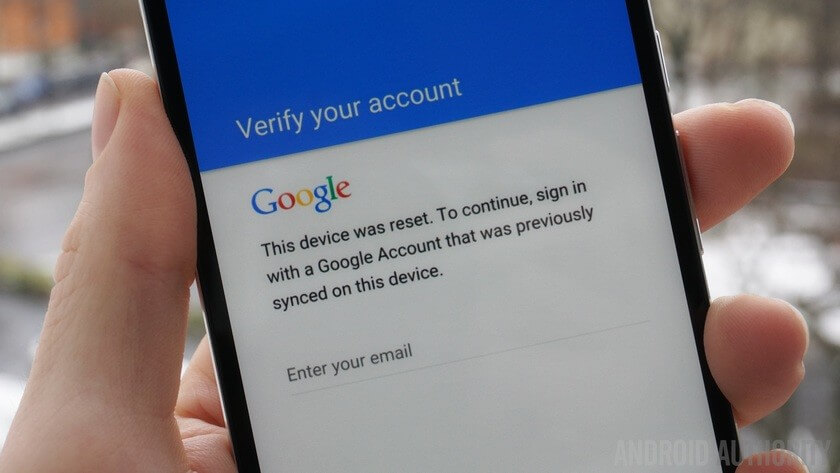
Recovering your official credentials is the safest approach, though the mandatory server sync delay means you might not get immediate access to your phone.
Method 2: Bypass Huawei FRP Using the Emergency Call
If account recovery is impossible, you might be looking for a Huawei FRP unlock without PC. Many older EMUI versions have a loophole in the emergency dialer that allows you to access device settings and reset the phone from the inside.
- Power on your locked Huawei device and connect it to a stable Wi-Fi network.
- Return to the initial setup screen and tap on Emergency Call.
- Dial *#*#1357946#*#* or a similar EMUI-specific code to trigger the hidden settings menu.
- Navigate to Settings, select Security & Privacy, and set a new lock screen PIN.
- Restart the device and use the newly created PIN to bypass the Google account verification prompt.
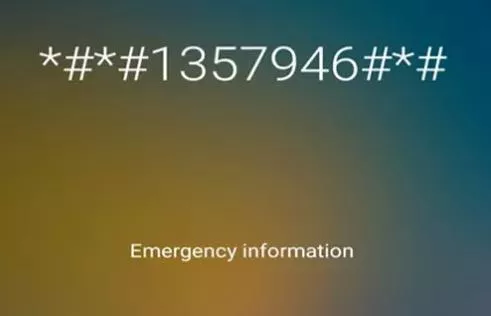
While this PC-free method is highly convenient, keep in mind that recent EMUI and HarmonyOS updates have largely patched these dialer exploits.
Method 3: Bypass Huawei FRP With a Dedicated Unlock Tool
When manual workarounds fail due to patched EMUI FRP bypass steps for Huawei devices, a professional PC-based unlock tool becomes necessary. Tenorshare 4uKey for Android is designed to handle stubborn Google locks across various Android brands when you lack the original credentials.
While the tool is widely recognized for bypassing locks on brands like Vivo, it offers comprehensive Android FRP removal capabilities. Follow the standard procedure below to clear the verification screen.
If you've bought a locked second-hand Vivo device and don't have the credentials or have forgotten your Google account and password, Tenorshare 4uKey for Android can help you bypass Vivo FRP on both Windows and Mac in just 5 minutes.
Step 1: Connect Vivo Device
After installing 4uKey for Android on your computer, connect your locked Vivo device to the computer, then choose the feature "Remove Google Lock(FRP)".

The program will automatically detect the brand of your device. Alternatively, you can also manually select the brand from the pop-up window.
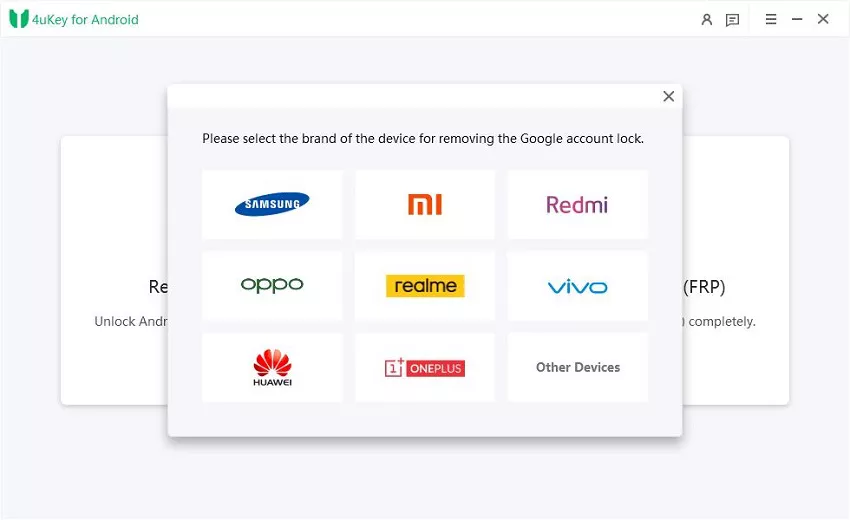
Step 2: Remove Huawei FRP Lock
Click "Remove Now" button to bypass FRP on Huawei devices. After receving a notification , follow the on-screen instruction to set up your Phone. Click "Next" button to proceed with the process.
Step 3: Remove Huawei FRP Lock Successfully
After successful operation, the Google lock will be automatically removed. Please wait a few minutes during this process and avoid operating the device.
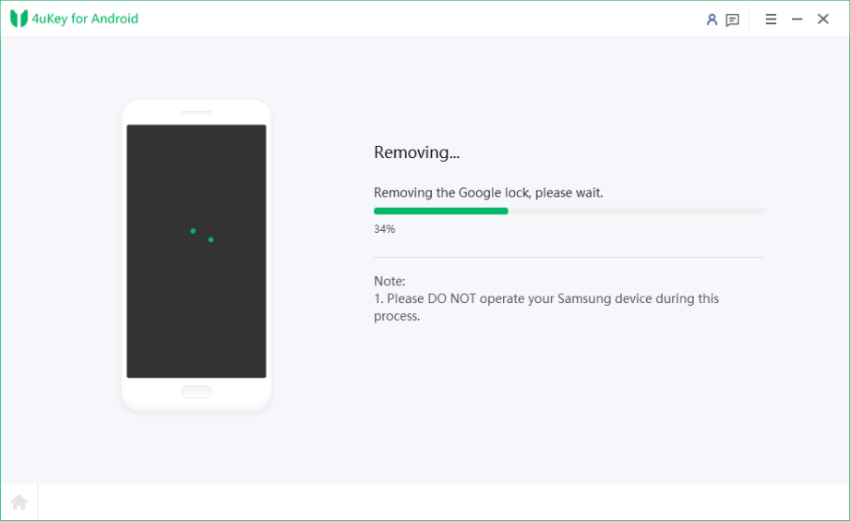
After a few seconds, your Huawei device should restart without requiring Google account verification.
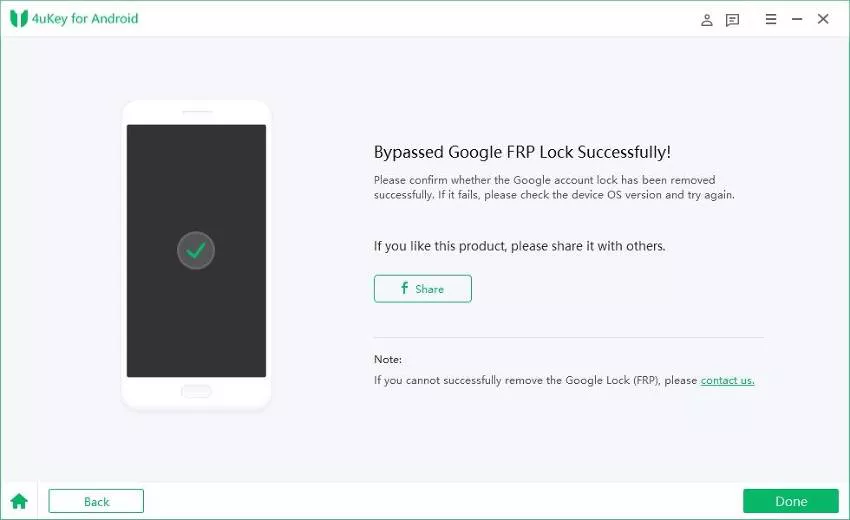
Using a dedicated PC tool bypasses the need for complex manual exploits, though it will erase local data during the removal process.
How to Avoid Getting Locked Out Again
Factory Reset Protection is triggered when a device is wiped improperly via recovery mode. To prevent facing another Huawei Google account verification bypass scenario, always remove your accounts before selling or resetting the phone.
- Navigate to Settings, tap on Users & Accounts, and manually delete your Google account before performing a factory reset.
- Keep a secure physical or digital record of your primary Google credentials.
- Ensure your OEM Unlocking toggle is enabled in Developer Options if you plan to frequently flash or reset your device.
Taking these simple precautions ensures you maintain full control over your device without triggering anti-theft protocols.
Final Steps for Regaining Device Access
Dealing with a locked device requires patience, but following the right sequence of solutions can save you time. Always start by attempting to recover your official Google credentials, as this is the safest and most reliable path. If you are running an older EMUI version, the emergency dialer trick might offer a quick PC-free fix. However, if you are dealing with modern security patches and repeated failures, utilizing a dedicated PC unlock tool is often the most practical way to restore functionality.
FAQ
Q: Does a factory reset remove the FRP lock on Huawei?
A: No, a standard factory reset via recovery mode actually triggers the FRP lock. You must remove the Google account from the device settings before resetting to avoid this security feature.
Q: Can I perform a Huawei FRP bypass without losing data?
A: Generally, no. Bypassing the Google account verification usually requires wiping the device entirely, meaning any unsaved local data will be permanently deleted.
Q: Why are the emergency dialer codes not working on my phone?
A: Huawei regularly updates its EMUI and HarmonyOS software to patch security vulnerabilities. If the dialer codes fail, your device likely has a newer security patch that blocks these older exploits.
Q: Is it safe to use third-party unlock tools?
A: Reputable tools like Tenorshare 4uKey are safe to use for regaining access to your own device, but they will erase your local data. Always ensure you have a backup if possible and download software from official sources.

