
Getting locked out of your device after a system wipe is a frustrating experience, especially when you are greeted by the mandatory Google account verification screen. This security feature, known as Factory Reset Protection, is designed to prevent unauthorized access, but it can easily trap legitimate owners who have forgotten their credentials. If you are stuck on this screen, you need a reliable Redmi FRP bypass to regain access to your phone.

Recent updates to MIUI 14 and HyperOS have patched many of the older manual workarounds, making the process more challenging than before. Fortunately, there are still official recovery paths and dedicated tools available to help you bypass the lock. Below, we will explore the safest and most effective methods to restore your device, starting with free and official options before moving on to advanced software solutions.
Quick Answer: Redmi Google Account Verification Unlock
If you need to bypass the verification screen quickly, you have three main paths depending on your technical comfort and device status:
- Account Recovery: Reset your forgotten Google password on a separate device and log in normally.
- ADB Commands: Clear the setup wizard via a computer if USB debugging was previously enabled on your phone.
- Dedicated Unlock Software: Use a professional PC tool to remove the lock when manual exploits fail on newer HyperOS or MIUI 14 updates.
Method 1: Recover the Original Google Account Credentials
The safest and most official way to bypass Google lock on Xiaomi Redmi devices is to recover the account details originally synced to the phone. This approach requires no third-party tools, avoids system modifications, and ensures your device warranty remains completely intact.
- Open a web browser on a computer or another smartphone and navigate to the official Google Account Recovery page.
- Enter the email address or phone number associated with the locked Redmi device and click Next.
- Select Try another way if you do not remember the password, and follow the on-screen prompts to verify your identity via a backup email or SMS code.
- Once you have created a new password, wait a few minutes for the servers to sync, then enter the new credentials on your locked Redmi screen.

Recovering your official credentials is always the best first step, as it completely resolves the lock without risking any software corruption.
Method 2: Use ADB Commands to Remove Redmi FRP
If you cannot recover your account but previously enabled USB debugging before the device was reset, you can use Android Debug Bridge (ADB) commands to bypass the setup wizard. Be aware that recent community discussions confirm manual PC-less tricks like the Second Space or Accessibility Menu exploits are largely patched in newer updates, making ADB one of the few remaining free technical workarounds.
- Download and extract the official Android SDK Platform Tools on your computer.
- Connect your locked Redmi phone to the computer using a high-quality USB cable.
- Open the extracted Platform Tools folder, type cmd in the address bar, and press Enter to launch the command prompt.
- Type the command adb shell content insert --uri content://settings/secure --bind name:s:user_setup_complete --bind value:s:1 and press Enter.
- Restart your Redmi device to see if the Google verification screen has been skipped.

This method is completely free but highly situational, as it strictly requires developer options and USB debugging to have been active prior to the lock.
Method 3: Bypass Redmi FRP With Tenorshare 4uKey
When official recovery fails and ADB is not an option due to disabled developer settings, a dedicated PC tool is often necessary. Because recent HyperOS and MIUI 14 security patches block manual exploits, using Tenorshare 4uKey for Android provides a streamlined path for Redmi FRP removal after factory reset.
Follow the steps below to connect your device and remove the verification lock safely.
Step 1: Connect Xiaomi/Redmi Device
After installing 4uKey for Android on your computer, connect your locked Xiaomi/Redmi device to the computer, then choose the feature "Remove Google Lock(FRP)".

The program will automatically detect the brand of your device. Alternatively, you can also manually select the brand from the pop-up window.
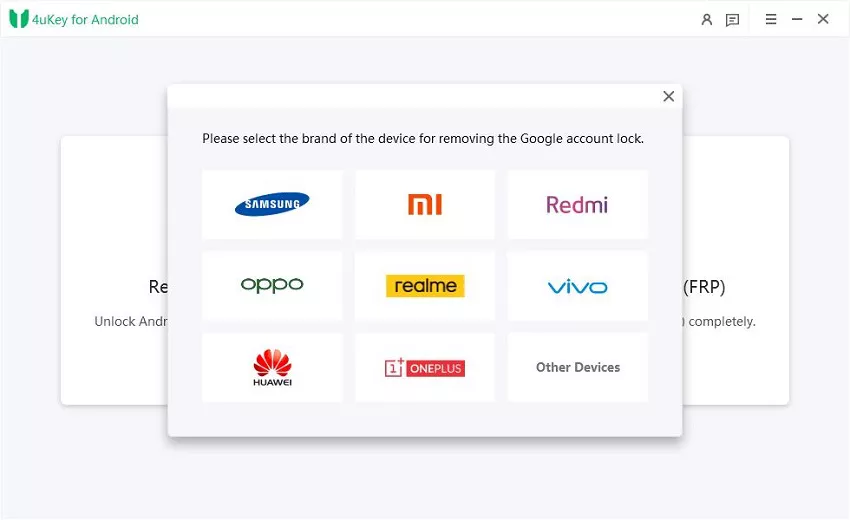
Step 2: Remove Xiaomi/Redmi FRP Lock
We provide two methods for unlocking your Xiaomi/ Redmi device, and you can choose either one. If one method doesn't work for unlocking, please try the other method.
Method 1: Quick Removal
Select the "Quick Removal" option and click "Remove Now." The program will proceed to install drivers.


Once the drivers are installed, follow the on-screen instructions for your device.

After successful operation, the Google lock will be automatically removed. Please wait a few minutes during this process and avoid operating the device.
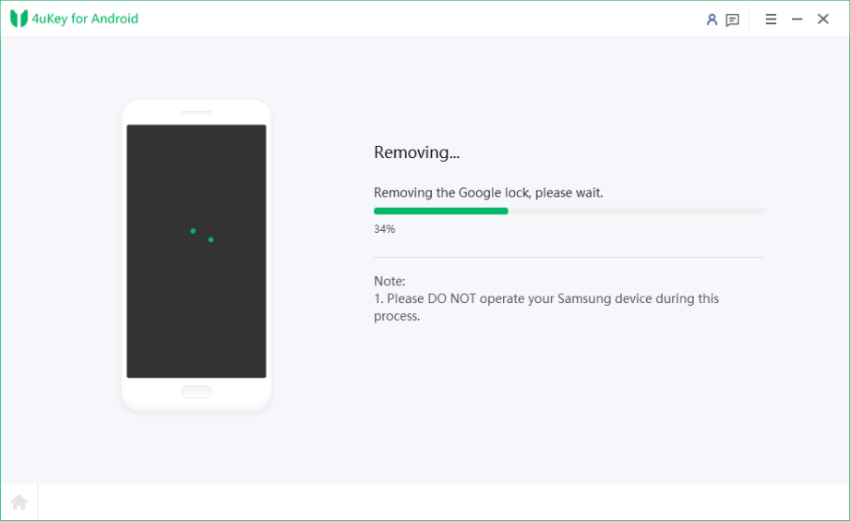
Once the unlock is successful, you will see the following page. If the unlock fails, please attempt the second method.
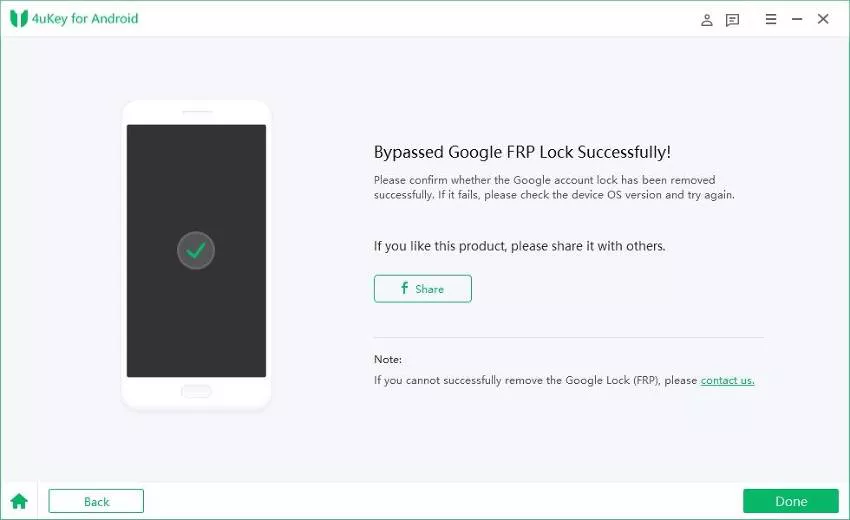
Using a professional unlock tool saves significant time and effort when dealing with stubborn security patches that block traditional bypass methods.
How to Avoid Getting Locked Out of Your Redmi Device
To prevent this frustrating situation from happening again, it is crucial to manage your accounts properly before performing any system wipes. Factory Reset Protection is triggered automatically when a device is reset from the recovery menu while a Google account is still logged in.
- Always remove your Google and Mi accounts from the Settings menu before initiating a manual factory reset.
- Keep a physical or secure digital record of your primary Google account password and backup codes.
- Ensure your account recovery options, such as an alternate email address and phone number, are up to date.
- Perform factory resets directly through the device settings rather than using hardware buttons, as settings-based resets usually prompt you for your password beforehand, preventing unexpected FRP locks.
What to Do Next for Your Locked Xiaomi Phone
Regaining access to your device requires a logical approach based on your current situation. Always start by attempting to recover your official Google credentials, as this is the safest route. If you have the necessary technical prerequisites, ADB commands can offer a free Mi phone FRP unlock without password. However, if you are dealing with a fully updated device and no backup options, utilizing a dedicated tool like Tenorshare 4uKey is the most practical next step to get your phone working again.
FAQ
Q: How to bypass FRP on Redmi phone without a computer?
A: While older MIUI versions allowed users to bypass the lock using the Accessibility Menu or Second Space features directly on the device, recent HyperOS and MIUI 14 updates have patched these vulnerabilities. A PC-based method is now highly recommended for a successful bypass.
Q: Will bypassing the Google account verification erase my personal data?
A: Yes, the FRP lock only appears after an unauthorized factory reset has already occurred. This means your local photos, messages, and app data have already been wiped from the device prior to the bypass process.
Q: Can unlocking the bootloader remove the FRP lock?
A: No, unlocking the bootloader is a separate developer process that does not automatically clear the Google account verification. You will still need to use account recovery or a dedicated unlock tool to pass the setup wizard.
Q: Is it safe to use third-party software for a Redmi FRP bypass?
A: Using reputable software like Tenorshare 4uKey is generally safe and effective for bypassing the lock screen. However, you should always ensure you are downloading tools from official sources to avoid malware and system corruption.

