
I am trying to reset my kids screen time and of course i have forgotten the passcode I used to set it. Following the steps above, in step 3, after taping "Change Screen Time Passcode" for the second time, the next screen (Step 4 above) has no "Forgot Passcode?" option? How else can I go about resetting this passcode?
No "Forgot Passcode" option when trying to reset Sreen Time forgotten pw on iOS 27? Usually, this missing recovery button happens because of outdated iOS software, Family Sharing restrictions, or a missing Apple ID during the initial setup. The safest first action is to check your software version or use a family organizer's device if applicable. If those official paths fail, there are effective ways to remove the passcode without erasing your personal data.
Let's look at why this button disappears and how you can regain access to your apps quickly.

Why Is 'Forgot Passcode' Missing in Screen Time?
Let's look at why your iPhone or iPad is missing the expected Apple ID recovery option. The missing button usually comes down to three common scenarios.
Your iOS Version Is Outdated
Apple introduced the Apple ID recovery feature for Screen Time starting with iOS 13.4 and iPadOS 13.4.
- Devices running older operating system versions will not display this recovery option.
- You must update your device to see the button, provided your hardware supports the newer software.
It is a Child Account Managed by Family Sharing
If the iPhone belongs to a child under a Family Sharing group, the forgot option won't appear on their individual device.
- The Screen Time settings are locked down to prevent children from bypassing limits.
- The Screen Time passcode can only be managed or reset by the family organizer using their own Apple device.
No Apple ID Was Provided During Setup
When you initially set up the Screen Time passcode, iOS gives you the choice to link an Apple ID for future recovery.
- If you skipped this step, the forgot option will not be available when you need it.
- Without a linked Apple ID, the device has no secure way to verify your identity for a reset.
How to Fix 'There Is No Option for Forgot Passcode' Issue Quickly
If Apple ID recovery is impossible or you skipped it during setup, you can still bypass the Screen Time restrictions directly. Tenorshare 4uKey helps you resolve the issue when there is no option for forgot Screen Time passcode on your device.
- Ideal for situations where Apple ID recovery is impossible or was skipped during setup.
- Bypasses the Screen Time restrictions directly without erasing personal photos, messages, or apps.
- Beginner-friendly process that requires no technical expertise to complete.
- Compatible with all the latest iOS 27 versions and iPhone or iPad models.
- Strong focus on speed, safety, reliability, and ease of use.
Step 1: Download and install 4uKey
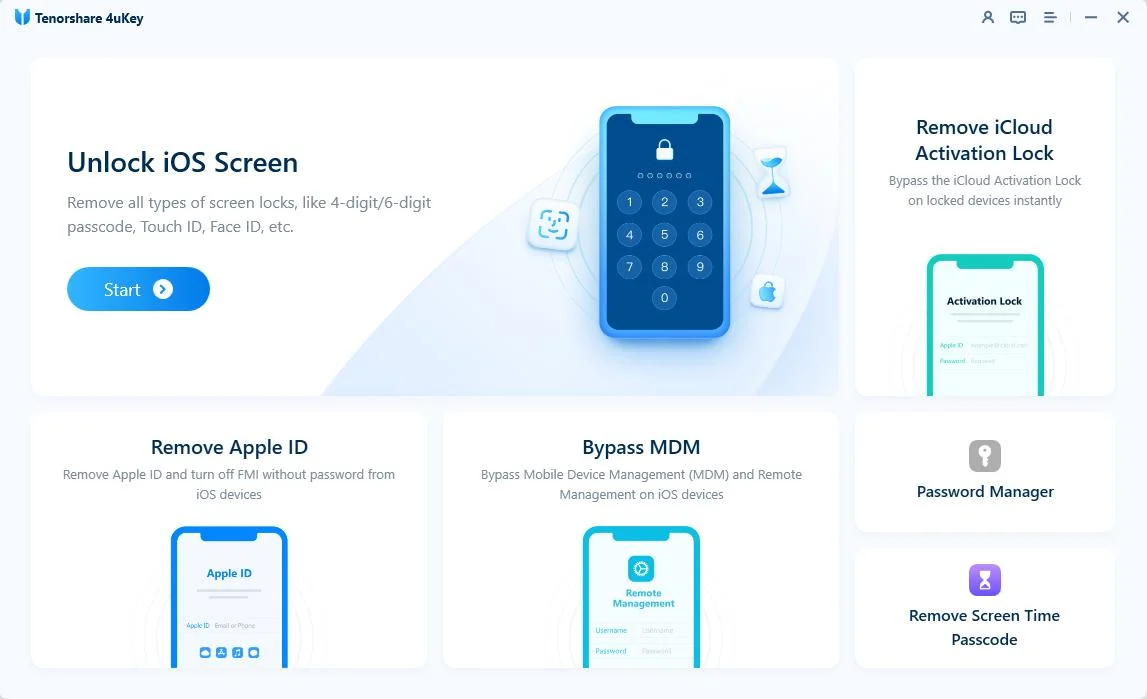
Download and install Tenorshare 4uKey on your computer. Open the program and select Remove Screen Time Passcode on the main screen.
Step 2: Connect your device and start
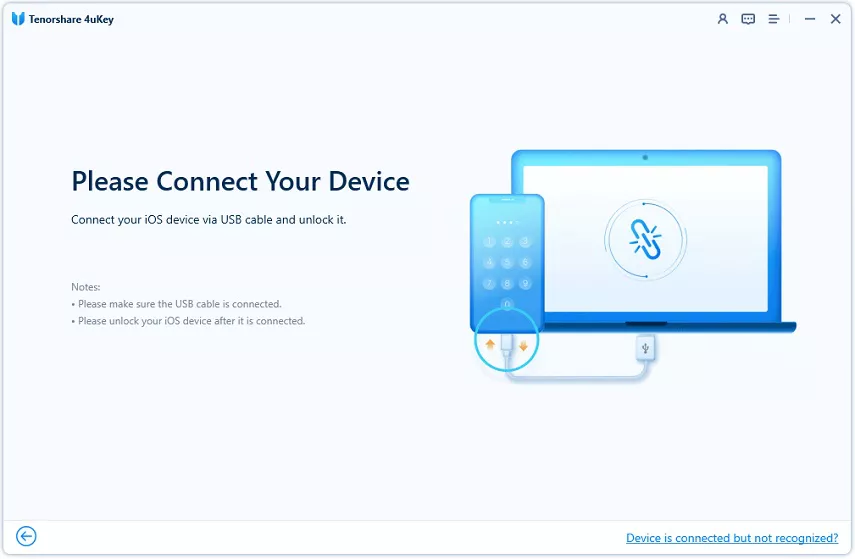
Connect your iPhone, iPad, or iPod to the computer using a USB cable. Unlock your device and tap Trust when the prompt appears.

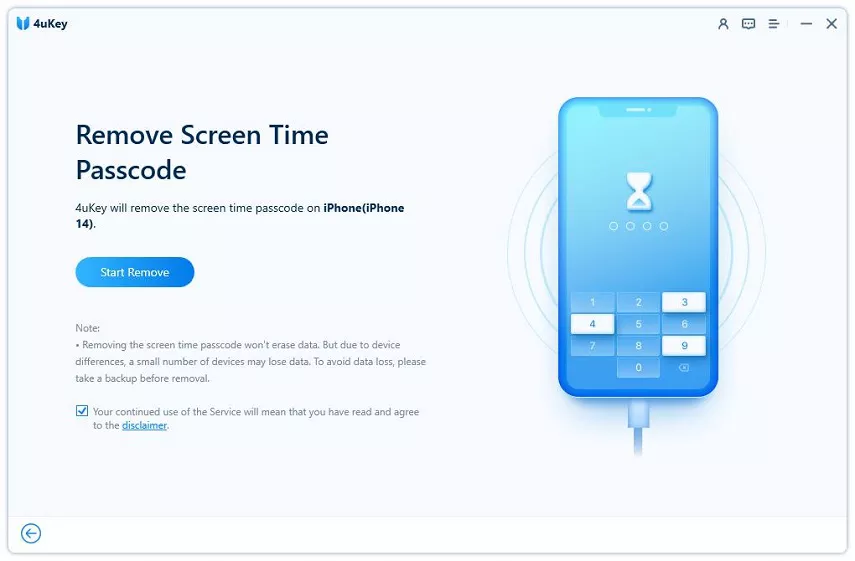
Once your computer recognizes the connected device, click Start Remove.
Step 3: Turn off Find My iPhone
You must turn off Find My iPhone to remove the passcode. Follow the on-screen instructions to disable this feature in your device settings.

Step 4: Remove the Screen Time passcode
After you disable Find My iPhone, the program begins removing the passcode. Wait for the process to finish.

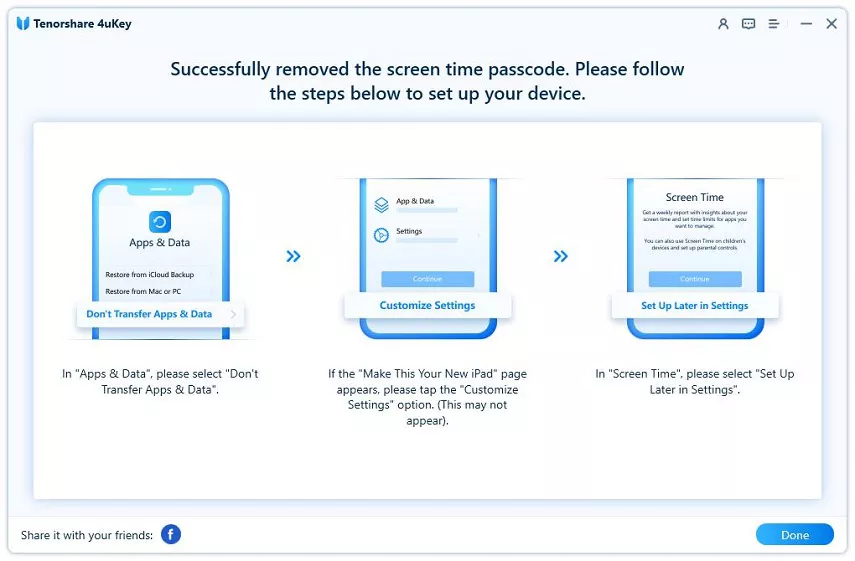
The software will show a confirmation screen when the passcode is gone.
When your device restarts, follow the setup prompts. Choose "Don’t Transfer Apps & Data" and tap "Set Up Later in Settings" when you reach the Screen Time screen.
How to Make “Forgot Screen Time Passcode” Appear
If you prefer to stick to official methods and want to restore the missing button, you have a few built-in ways to try. Here is how to handle the issue based on your specific situation.
Solution 1. Reset the Passcode Using the Family Organizer's Device
Use this method if the device is set up as a child account in a Family Sharing group.
- The family organizer must open the Settings app on their own iPhone or iPad.
- Navigate to the Family section and select the child's name from the list.
- Choose Screen Time to change or remove the passcode remotely.
Solution 2. Update Your Device to Reveal the Missing Button
If your device is running an older operating system, a simple software update might be all you need.
- Check your current software version by going to Settings > General > About.
- If the device is below iOS 13.4, updating the software may bring back the Apple ID recovery option.
- Always back up your device to iCloud or a computer before performing a major system update.

Solution 3. Erase Your iPhone to Remove the Passcode (Data Loss)
Use this approach as a last resort if you cannot use a third-party tool or update the device.
- Erasing the device via Finder, iTunes, or the Settings app will remove all data, including the Screen Time passcode.
Warning:
You cannot restore from a backup made while the passcode was active, as it will bring the lock back to your device.
Final Thoughts on Bypassing Screen Time Restrictions
Dealing with a missing recovery button can interrupt your daily device usage. As we have covered, an outdated iOS, active Family Sharing, or a missing Apple ID are the main culprits when you have no option for forgot Screen Time passcode. Reiterate that erasing the device causes data loss, making specialized tools a safer alternative if you want to keep your files intact. We encourage you to try a dedicated removal tool like Tenorshare 4uKey to regain access to your apps and limits quickly.
Screen Time Passcode FAQ
Here are some common questions users ask when trying to manage their device limits without a recovery option.
Q: Can I guess the Screen Time passcode if I forgot it?
A: You can try guessing, but Apple limits the number of failed attempts. After too many wrong guesses, you will be locked out of the Screen Time settings for an increasing amount of time, eventually requiring a full device reset or specialized software to remove the lock.
Q: Will restoring my iPhone from an iCloud backup remove the Screen Time passcode?
A: No, restoring from a backup made while the passcode was active will simply put the passcode right back onto your device. You must set up the device as new or use a tool that removes the passcode without data loss.
Q: What is the default Screen Time passcode for Apple devices?
A: There is no universal default Screen Time passcode. However, if you are upgrading from an older iOS version that used Restrictions, your old Restrictions passcode automatically becomes your new Screen Time passcode.

